Are Unicode Fonts Safe for Passwords and Usernames?
Fancy Unicode text can turn a simple username like Jimmy into something that looks completely different:
Normal: Jimmy
Styled: 𝗝𝗶𝗺𝗺𝘆
Script: 𝒥𝒾𝓂𝓂𝓎
Fraktur: 𝔍𝔦𝔪𝔪𝔶
All four versions may look like the same name to a person. To a computer, however, they are not necessarily the same text.
That difference matters when Unicode characters are used in usernames, passwords, account IDs, email addresses, or other text that a system needs to identify exactly.
So, are Unicode fonts safe for passwords and usernames?
Short answer: Unicode characters are not inherently unsafe, but decorative Unicode is usually a poor choice for passwords and important usernames. Compatibility, normalization, visually similar characters, and account-recovery problems can make them less reliable than they appear.
Here’s why.
First, “Unicode Fonts” Aren’t Actually Fonts
The term Unicode fonts is commonly used for copy-and-paste text such as:
𝗛𝗲𝗹𝗹𝗼
But this isn’t ordinary Hello displayed with a bold font.
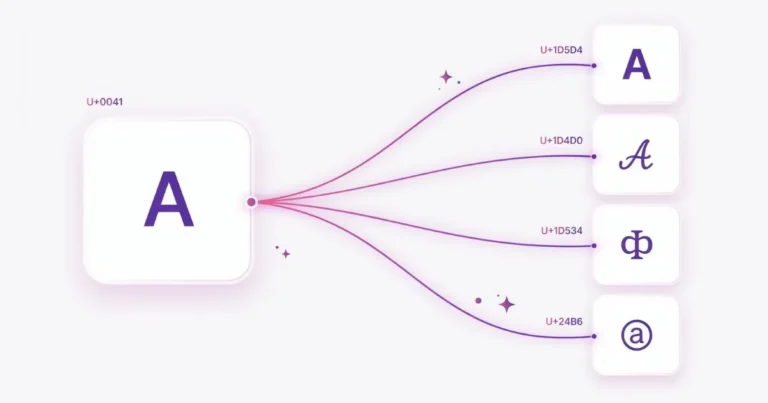
The characters themselves have changed.
For example:
| Appearance | Character | Unicode code point |
|---|---|---|
| H | Latin Capital Letter H | U+0048 |
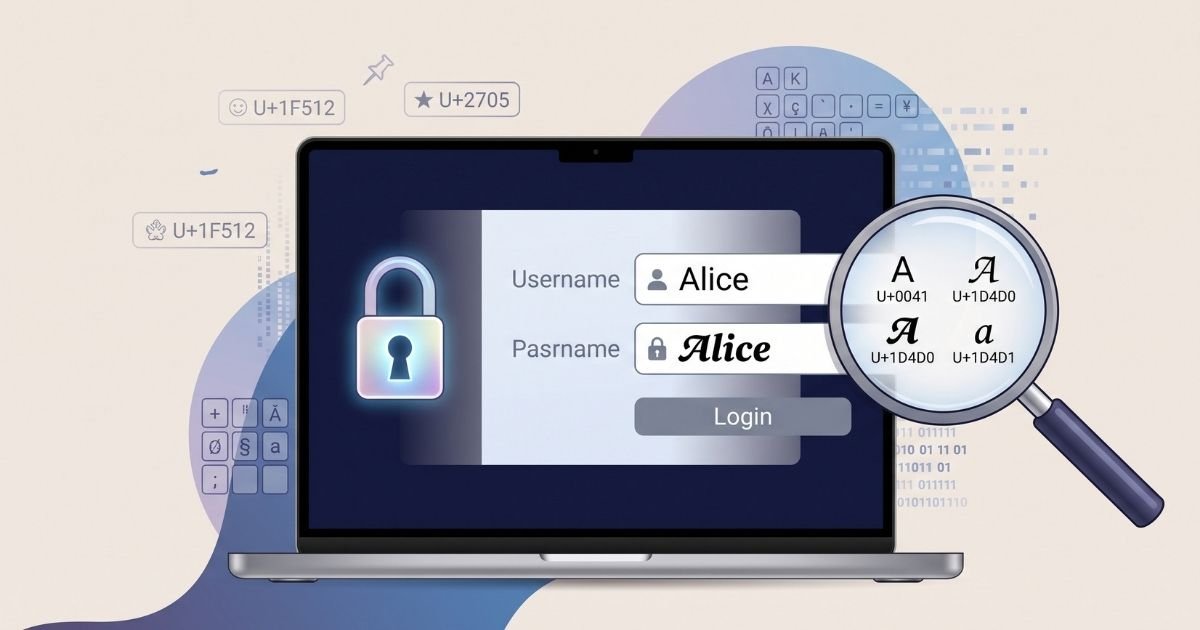
| 𝐇 | Mathematical Bold Capital H | U+1D407 |
| 𝗛 | Mathematical Sans-Serif Bold Capital H | U+1D5DB |
They look related, but a computer sees different Unicode code points.
That’s useful for decorative text because the appearance can survive copying and pasting. It can become a problem when software expects an exact identifier or password.
Can You Use Unicode Characters in Passwords?
Technically, yes—if the website or application accepts them.
Modern password standards do not require passwords to be limited to the English alphabet.
NIST’s current digital identity guidance says password systems should accept Unicode characters. It also recommends that systems supporting Unicode passwords apply NFC normalization before hashing them.
But there’s an important warning attached to that guidance: different devices or endpoints may represent some Unicode characters differently.
For an ordinary social post, a rendering difference may just look strange.
For a password, a difference can mean:
Login failed.
Why Unicode Passwords Can Become Complicated
Suppose you create a password containing a character that looks like this:
é
There is more than one way Unicode can represent what appears to be the same character.
One representation can use a single precomposed character.
Another can use:
e + a combining accent
To a person, the result may appear identical.
At the code level, the sequences can be different.
Unicode defines normalization forms partly to deal with situations like this. Normalization can convert canonically equivalent text into a consistent representation.
A well-designed authentication system can handle this correctly.
The problem is that, as a user, you don’t always know how a particular website processes Unicode passwords.
Does Fancy Unicode Make a Password Stronger?
Not automatically.
Consider these two passwords:
mypassword
𝗺𝘆𝗽𝗮𝘀𝘀𝘄𝗼𝗿𝗱
The second looks much more unusual.
That doesn’t mean you should treat decorative Unicode as a security upgrade.
Password strength depends on factors such as length, predictability, reuse, whether the password has appeared in known compromised-password data, and how the authentication system protects it.
Changing familiar letters into visually fancy equivalents is not a substitute for choosing a strong, unique password.
A password manager generating and storing a long unique password is generally more practical than manually decorating a memorable word with Unicode characters.
The Copy-and-Paste Problem
Decorative Unicode passwords introduce another practical problem: entering them again.
Imagine creating this password:
J𝗶m𝗺y-2026
Months later, you need to sign in on another computer.
Which i did you use?
Which m was styled?
Was that character an ordinary Latin letter or a mathematical Unicode character?
They can look similar enough that reconstructing the exact sequence manually is difficult.
If the password is safely stored in a password manager, this problem is reduced. If you’re relying on memory, screenshots, handwritten notes, or visual appearance, it can become frustrating.
Passwords are exact strings.
Looking the same is not the same as being the same.
What About Unicode Usernames?
Usernames are a different situation.
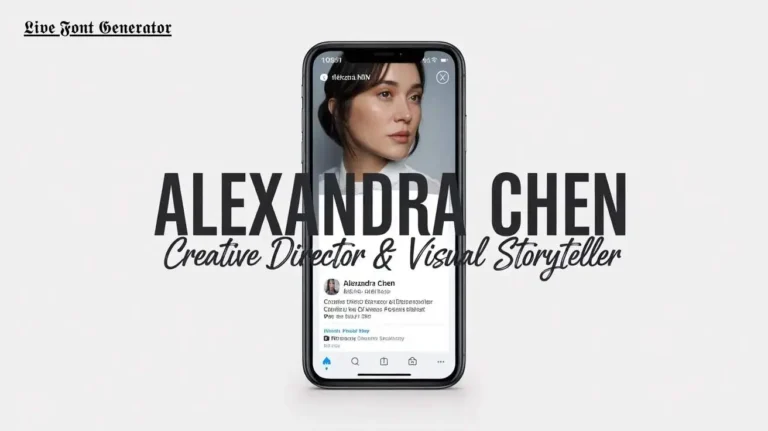
Decorative Unicode can make a display name visually distinctive:
Jimmy
might become:
𝗝𝗶𝗺𝗺𝘆
For an optional display name, that may be acceptable if the platform supports those characters.
For a permanent username, account handle, login ID, or other identifier, plain characters are usually safer.
There are several reasons.
1. Platforms Have Different Character Rules
A website may allow Unicode in a display name but reject the same characters in a username.
For example, a platform might allow decorative characters in:
Display name: 𝗝𝗶𝗺𝗺𝘆
while requiring something simpler for:
Username: @jimmy
These rules are controlled by the individual platform, not by Unicode itself.
The fact that a character exists in Unicode does not mean every website must allow it in every field.
2. People May Have Trouble Typing Your Username
Imagine telling someone your username verbally:
“It’s Jimmy, but the J is Mathematical Bold and the rest uses another Unicode alphabet.”
That’s not convenient.
A username such as:
jimmy
can be typed from almost any standard keyboard.
A username such as:
𝗷𝗶𝗺𝗺𝘆
may require copying the characters from somewhere else.
If people need to search for, mention, remember, or manually enter your username, simplicity matters.
The Confusable Character Problem
One of the most interesting Unicode security issues involves confusables.
Unicode supports writing systems from around the world. As a result, characters from different scripts can sometimes look very similar.
For example, a Latin character may have a visually similar character in another script.
Two usernames can therefore appear almost identical while containing different code points.
Unicode’s security specifications specifically address visually confusable characters and mixed-script identifiers because they can be relevant to spoofing and impersonation.
This means visual appearance alone is not enough to determine whether two Unicode strings are actually identical.
A Simple Example
Imagine two account names that appear very similar:
scope
and another version where one or more letters come from a different script.
A person scanning the names quickly may not notice the substitution.
A computer can.
This technique is one reason websites handling important identifiers may restrict characters, detect mixed scripts, or apply additional Unicode security rules.
The problem isn’t that multilingual text is bad or unsafe. Unicode is essential for supporting the world’s writing systems.
The problem is characters deliberately or accidentally being mistaken for other characters.
Unicode Normalization Matters Too
Another issue is normalization.
Unicode defines four major normalization forms:
- NFC
- NFD
- NFKC
- NFKD
They provide standardized ways of handling characters and sequences that can represent equivalent or compatibility-related text.
For example, NFC is commonly used for general text, while compatibility normalization can be useful in some identifier systems where certain compatibility differences need to be removed.
You normally don’t need to think about normalization when writing an Instagram caption.
Authentication systems and identifier systems do.
That’s another reason you should not assume that text produced by a font generator will be stored exactly as it visually appears.
The receiving application controls how that input is processed.
Can Normalization Change Fancy Text?
Potentially, depending on the normalization form and characters involved.
Some decorative characters have compatibility relationships with ordinary characters.
Compatibility normalization such as NFKC can remove certain distinctions between compatibility characters and their ordinary equivalents.
This behavior can be useful in identifier systems where visually or semantically related forms need consistent handling.
It also demonstrates why decorative Unicode should not be treated like a normal font selection.
The characters carry their own Unicode identities and properties.
Are Unicode Fonts Dangerous?
No.
Using:
𝗛𝗲𝗹𝗹𝗼
in a social-media bio does not make the text inherently malicious or dangerous.
The risk depends on where and why the characters are being used.
There is a big difference between:
Decorative heading:𝗡𝗘𝗪 𝗣𝗢𝗦𝗧
and:
Security-sensitive identifier:
a login name containing several visually confusable characters.
Unicode is fundamental to modern computing and enables digital text in languages used around the world.
The goal isn’t to avoid Unicode. It’s to choose appropriate characters for the context.
Where Is Fancy Unicode Reasonable to Use?
Here’s a practical guide:
| Use case | Decorative Unicode? | Recommendation |
|---|---|---|
| Social media bio | Yes, selectively | Usually fine for decoration |
| Display name | Sometimes | Test platform support |
| Caption heading | Yes | Good for short emphasis |
| Username/handle | With caution | Plain text is more reliable |
| Login ID | Avoid when unnecessary | Prefer easily typed characters |
| Password | Technically possible | Don’t use decorative text as a security strategy |
| Email address | Avoid decoration | Use conventional characters where possible |
| URL | Avoid | Don’t substitute lookalike characters |
| Important account info | Avoid | Prioritize reliability |
The more important it is that a string can be entered, searched, recovered, or recognized exactly, the less useful decorative Unicode becomes.
Should You Use a Font Generator for Passwords?
We don’t recommend it.
LiveFontGenerator is designed to create copy-and-paste text styles for creative uses such as bios, captions, headings, display names, and social content.
It is not a password generator.
A font generator changes how characters are represented. It does not evaluate whether a password is unique, compromised, predictable, or securely stored.
If you need a strong password, use a reputable password manager or password-generation feature designed specifically for authentication.
A Better Approach to Usernames
For accounts that give you both a username and a display name, separating the two purposes works well.
For example:
Username:@jimmy
Display name:𝗝𝗶𝗺𝗺𝘆
The username remains easy to type and share, while the display name can carry some visual styling.
That gives you decoration without making the important identifier unnecessarily difficult to reproduce.
What If You Already Use Unicode in a Password?
You don’t necessarily need to change it just because it contains Unicode.
If the service accepts the password reliably and you’re storing it securely, the presence of Unicode alone doesn’t make the password compromised.
However, make sure you can reliably enter or retrieve the exact password on your other devices.
For important accounts, also enable multi-factor authentication or a passkey when the service provides those options.
If your password is reused across multiple accounts, changing that is much more important than whether the characters look fancy.
What If You Already Have a Fancy Username?
If it’s only a display name and everything works correctly, there may be no reason to change it.
For usernames used for login, search, mentions, professional branding, or account recovery, ask yourself three questions:
- Can someone type it easily?
- Can I reproduce it without the original text?
- Could someone mistake its characters for different ones?
If any answer causes concern, a simpler username may be better.
Final Answer: Are Unicode Fonts Safe for Passwords and Usernames?
Unicode characters themselves are not inherently unsafe.
The issue is using visually styled or unusual Unicode characters in places where exact character identity matters.
For passwords, Unicode may be supported by the authentication system, but decorative Unicode should not be considered an easy way to make a weak password strong. Normalization, input differences, and the difficulty of reproducing unusual characters can create unnecessary problems.
For usernames, fancy Unicode is better suited to optional display names than permanent handles or login identifiers.
A useful rule to remember is:
Use fancy Unicode where appearance matters. Use simple, reliable text where identity matters.
That lets you enjoy creative Unicode styles without depending on them for something they were never designed to solve.