TikTok Fonts — Copy & Paste Styles for Bio, Display Name & Captions
Quick Answer
TikTok fonts are copy-and-paste Unicode text styles that can be used in profile text and captions where the selected characters are supported. A font generator replaces ordinary letters with visually different Unicode characters, so no font installation is required. Appearance and support can vary by device, app version, and the characters you choose, so preview the result in TikTok before saving it.
How TikTok Fonts Work
TikTok handles profile text and video text differently. Text added directly to a video has TikTok’s own font and styling options, while profile fields do not use those same video-editing controls. Copy-and-paste Unicode text offers another way to create a decorative look in supported profile or caption fields.
Unicode fonts bypass this limitation by substituting your letters with visually similar characters from a different section of the Unicode character standard. The Unicode standard contains over 154,000 characters, including several complete Latin alphabets that were originally created for mathematical notation. These mathematical alphabets — bold, italic, script, Fraktur, double-struck, and others — happen to look like different font styles.
When you use a font generator to create styled text, it does not apply a font to your letters. It replaces your letters with different characters entirely. Your H becomes 𝗛, your e becomes 𝗲, your l becomes 𝗹. These are not bold versions of your original letters — they are completely different Unicode code points that look bold. Because they are real characters (not formatting), they survive being copied and pasted into any TikTok field that accepts text.
Where Unicode text works depends on the TikTok field and the characters being used. For text placed directly on a video, TikTok provides its own font selector, which is generally the more predictable way to style an overlay. For profile text or captions, Unicode characters may provide additional visual styles, but the final result should still be previewed before publishing.
TikTok Bio Fonts — Step by Step
Step 1: Choose Your Text
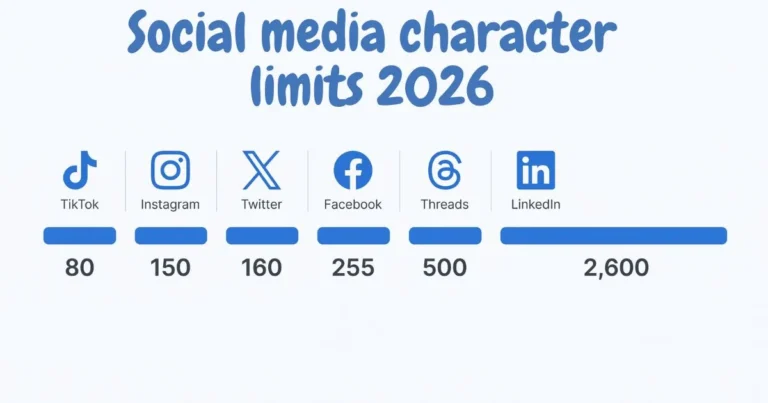
Decide which part of your bio you want to style. For most TikTok profiles, styling the name or a single tagline produces the best result. Your bio has an 80-character limit — the shortest of any major social platform — so every character counts.
Step 2: Generate Your Styled Text
Open a font generator in your browser. Type or paste your text into the input field. The generator will show you every available style simultaneously, organised by category so you can browse by mood rather than scrolling through an unsorted list.
Step 3: Choose a Style
Preview each style against your actual text before copying. The style that looks good in a generator preview may not suit your specific words — some styles work better with shorter names, others with longer phrases.
Step 4: Copy and Paste
Tap the copy button next to your chosen style. Open TikTok, go to your profile, tap Edit Profile, and paste into the bio or display name field. Save your profile. The styled text appears immediately for every viewer.
TikTok Font Style Ideas for Different Types of Content
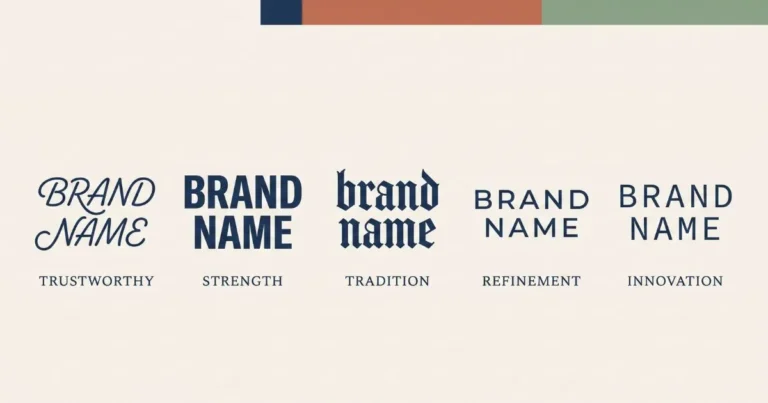
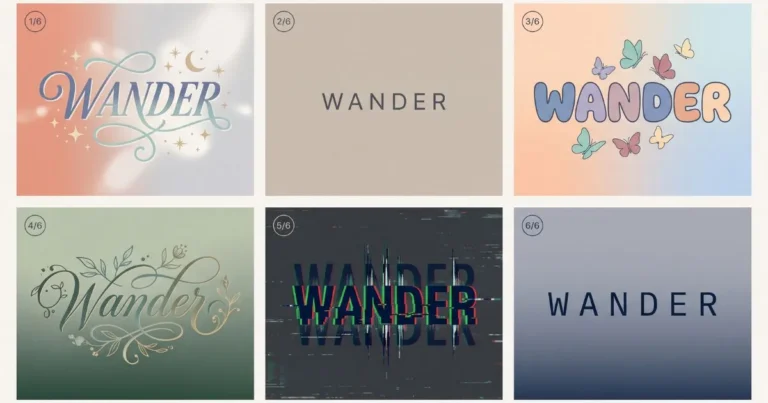
Different text styles create different visual impressions, so the best choice depends on your content and how readable the result remains on a phone screen. The examples below are practical style ideas rather than rules or performance guarantees.
Lifestyle and Beauty
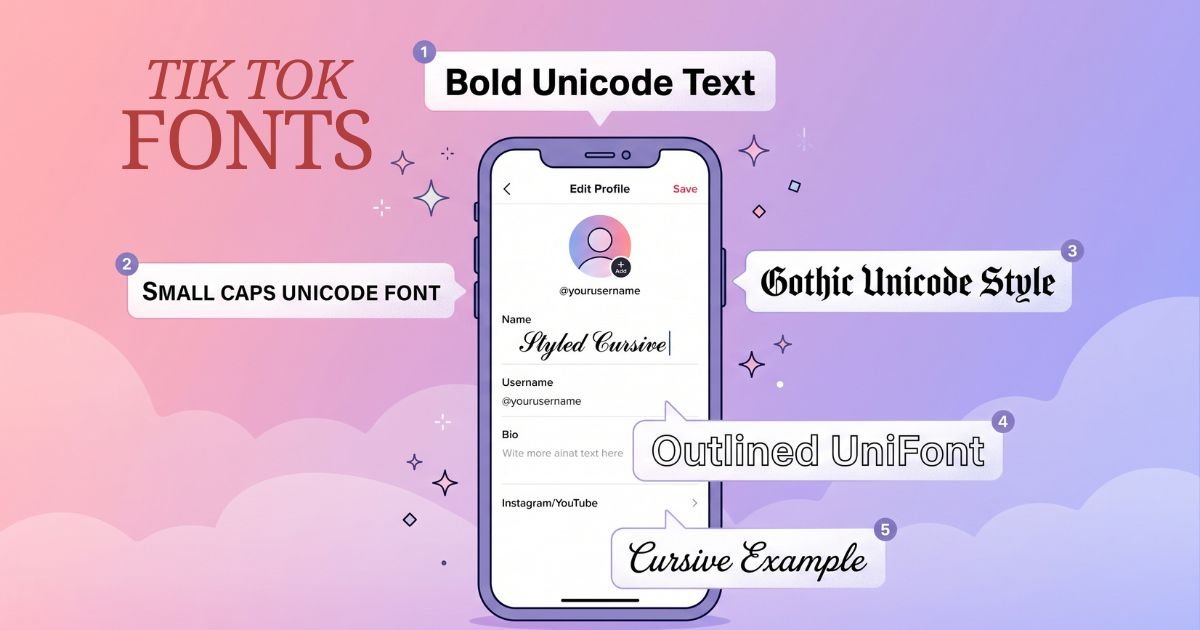
Cursive and light script styles can suit lifestyle, beauty, fashion, and personal-profile content when used sparingly. A short styled name or tagline is usually easier to read than an entire bio written in decorative characters.
Gaming and Esports
Gothic, bold, and angular Unicode styles can fit gaming or esports-themed profiles because they create a heavier visual look. Keep usernames and important profile information readable, and test the chosen characters before saving them.
Comedy and Entertainment
Bold, playful, or mixed decorative styles can work well for entertainment profiles. Short phrases are usually the safest place to experiment because heavily styled text becomes harder to scan when used across an entire bio.
Education and Professional
For educational or professional profiles, simpler styles such as bold text or restrained small-cap-like characters can provide emphasis without making the profile difficult to read. Plain text is still the better choice for important information.
Music
Music profiles can use typography to match the visual identity of an artist or genre. Gothic styles create a heavier look, while script styles feel softer and more expressive. Readability should remain the priority, especially for artist names and important profile details.
TikTok Profile Limits and Styled Text
TikTok applies different rules and limits to different profile fields. Its official help center currently states that a nickname can contain up to 30 characters and can be changed once every seven days. Usernames follow separate rules and can only contain letters, numbers, underscores, and periods.
Because decorative Unicode uses different characters from ordinary Latin text, some styles may be accepted in one field but rejected or displayed differently in another. Keep styled profile text short, preview it before saving, and switch to a simpler style or plain text if TikTok does not accept the characters you selected.
TikTok Fonts for Video Captions
Video captions on TikTok support Unicode styled text, but with important limitations for reach.
Styled hashtags do not function as hashtags. If you write #𝗙𝗮𝘀𝗵𝗶𝗼𝗻 in a caption, TikTok treats it as different characters from #Fashion — your video will not appear in Fashion hashtag searches. This is a significant reach issue that many creators discover only after weeks of unknowingly posting into dead hashtags. Always write hashtags in plain text, regardless of how much of the rest of your caption you choose to style.
For the rest of your caption, using bold or italic styling for a single phrase — a key claim, a call to action, a hook — can make the most important line stand out in a caption that otherwise blends into the feed.
Cross-Device Rendering — Why TikTok Fonts Can Look Different
The same Unicode text can look slightly different across iPhone, Android, Windows, macOS, and different browsers. The characters themselves may be identical, but each system can use different fonts and fallback glyphs to draw them.
Common Unicode styles are more likely to display as expected on modern devices, while unusual symbols or heavily decorated text may have less consistent support. If a profile is important to your brand or audience, test the final text on more than one device rather than assuming every viewer will see an identical result.
Choosing a TikTok Font Style in 2026
There is no single font style that performs best for every TikTok account. A useful choice depends on readability, the tone of the profile, and how much text you want to style. These combinations are practical starting points:
| Style | Useful For | Character |
|---|---|---|
| Bold sans-serif | Creator names, short highlights | Clear and strong |
| Cursive script | Lifestyle, beauty, personal profiles | Soft and decorative |
| Small-cap-like styles | Education, design, professional profiles | Restrained |
| Gothic / Fraktur | Gaming, music, themed profiles | Heavy and distinctive |
| Decorative symbols | Short accents around names | Best used sparingly |
A simple rule is to style one short element rather than every line. That gives the profile visual contrast without sacrificing readability.
Common TikTok Font Problems and Solutions
| Problem | Cause | Solution |
|---|---|---|
| Styled hashtags get no views | Styled characters ≠ plain characters in hashtag matching | Always write hashtags in plain text |
| Bio exceeds character limit | Some Unicode characters count as 2 toward the limit | Style only the name; keep bio description plain |
| Font looks different on friend’s phone | iOS and Android use different system fonts for Unicode | Normal — test on multiple devices before committing |
| Some letters show as boxes | Device font does not cover that Unicode character | Switch to a mainstream style (bold, cursive, gothic) |
| Paste does not work in TikTok app | App clipboard conflict | Paste into Notes first, re-copy, then paste into TikTok |
| Display name font rejected by TikTok | Some Unicode blocks restricted in display names | Try bold or cursive — these are almost always accepted |
Frequently Asked Questions
Q: How do I change my TikTok font?
Open a font generator in your browser, type your text, choose a style, copy the result, and paste it into your TikTok bio or display name field. TikTok does not offer native font controls, so character substitution is the only method available.
Q: Are TikTok fonts free?
Live Font Generator is free to use for creating TikTok text styles. Unicode is an international character standard, but individual websites, apps, or design tools can have their own pricing and terms.
Q: Why do my TikTok hashtags not work when I use fonts?
Styled Unicode characters are different code points from their plain-text equivalents. TikTok’s hashtag system matches exact characters, so #𝗙𝗮𝘀𝗵𝗶𝗼𝗻 and #Fashion are completely different tags. Always use plain text for hashtags.
Q: Do TikTok fonts work on iPhone and Android?
Many Unicode text styles can display on both iPhone and Android, but appearance and character support can vary between devices, operating-system versions, and individual styles. Preview important profile text on the devices your audience commonly uses.
Q: Will TikTok remove my styled bio?
TikTok allows a range of characters in profile text, but usernames and nicknames still have platform-specific rules and must follow TikTok’s Community Guidelines. If a particular Unicode style is rejected, use a simpler style or plain text instead.
Q: Can I use TikTok fonts in video captions?
Yes, but avoid styling hashtags. Plain text hashtags reach their audiences; styled hashtags do not. Style caption text for emphasis if you like, but always write hashtags in standard characters.
Q: What is the best TikTok font for a business account?
Bold sans-serif for professional authority, or small caps for a modern minimal look. Both signal credibility without the decorative quality of cursive or gothic. Avoid heavy sparkle decoration for business profiles — it reads as personal rather than professional.