What Are Unicode Fonts and How Do They Work?
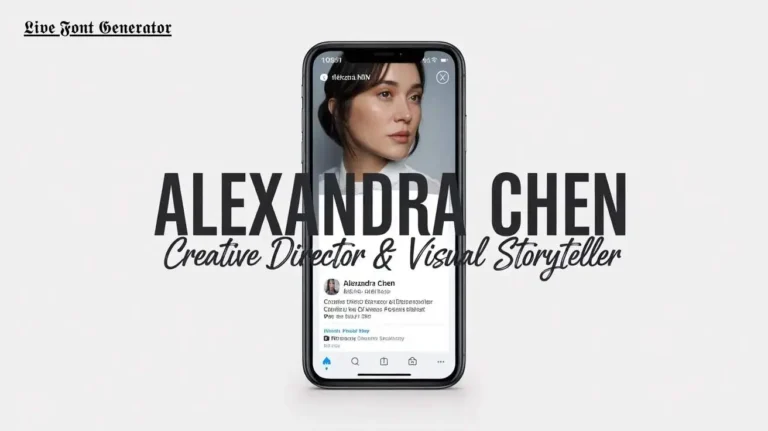
Ever seen someone use 𝓯𝓪𝓷𝓬𝔂 text in their Instagram bio? Or bold letters in a tweet where no bold button exists? That magic comes from Unicode fonts. They let you style text without any app or design skill.
This guide explains what Unicode fonts are and how they work. By the end, you will know exactly why your stylish text shows up the same on every phone and computer.
What Is a Unicode Font?
A Unicode font is not a font you install. It is plain text built from special Unicode characters that already look styled.
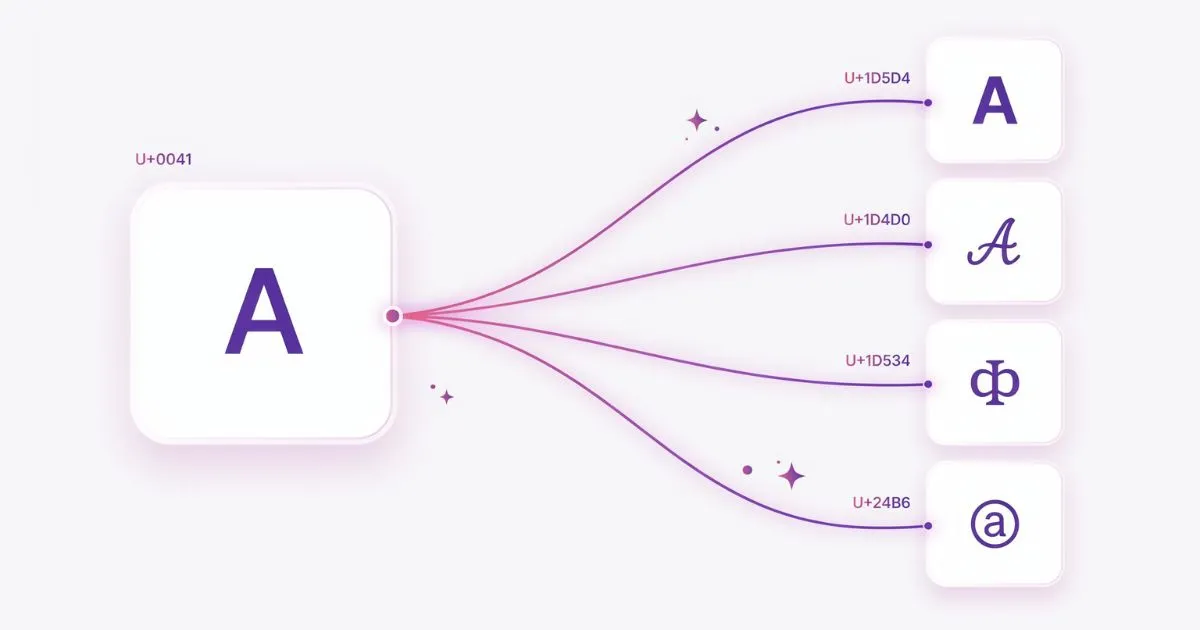
Unicode is a global standard. It gives every letter, number, and symbol a unique code. This code is the same across all devices. So an “A” is an “A” whether you are on an iPhone, Android, or laptop.
Inside this huge standard live thousands of special characters. Some look like bold letters. Some look like cursive script. Some look like bubble text. When you put these characters together, you get what people call a “Unicode font.”
The trick is simple. You are not changing the font. You are swapping normal letters for look-alike Unicode symbols.
How Do Unicode Fonts Actually Work?
Let us break it down in plain steps.
1. Every character has a code point
A code point is a number assigned to one character. For example, the normal letter “H” has its own code. The fancy bold “𝗛” has a different code.
Your device reads the code and shows the matching glyph. A glyph is just the visual shape of a character.
2. Tools map normal letters to styled ones
A font generator does the heavy work. You type a normal word. The tool finds the matching styled Unicode character for each letter. Then it gives you the result to copy.
This is why our font generator feels instant. It just maps your text to special characters in real time.
3. The text stays text
This is the key point. Stylish Unicode text is still text. It is not an image. So you can paste it into bios, captions, messages, and usernames.
The platform does not know the difference. It simply displays the characters it receives.
Why Unicode Fonts Look the Same Everywhere
Older text styling failed across devices. A custom font on one phone would break on another. Unicode fixed that problem.
Because Unicode is a universal character encoding standard, every device agrees on what each character means. The shapes may differ slightly between systems. But the character stays the same.
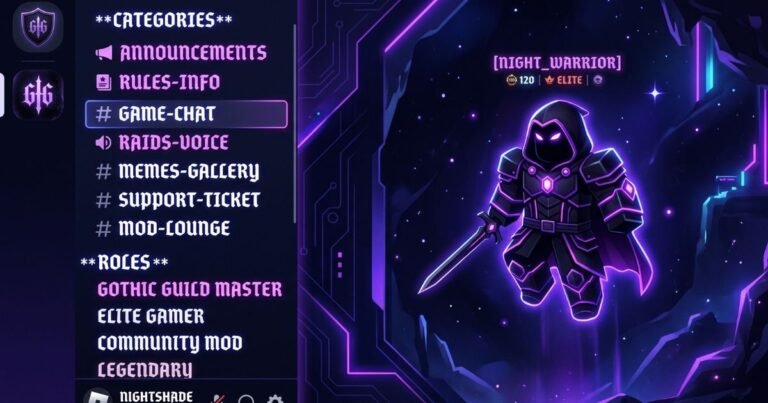
That is why your copied text works on Instagram, Facebook, WhatsApp, X (Twitter), Discord, and TikTok. No download. No account. No formatting toolbar needed.
Common Types of Unicode Font Styles
Unicode includes many ready-made styles. Here are the most popular ones people use online:
- Bold text — thick, strong letters for announcements.
- Italic text — slanted letters for a soft tone.
- Cursive and script — flowing letters that feel elegant.
- Gothic and blackletter — dramatic, old-style letters.
- Bubble text — round, playful letters in circles.
- Monospace — even-width letters with a tech feel.
Each style serves a different mood. Match the style to your message for the best effect.
Are Unicode Fonts Safe to Use?
Yes. Unicode fonts are completely safe. They are just standard characters built into the global text system.
There is one thing to know. Some screen readers may read styled characters in an unusual way. So avoid using fancy fonts for full sentences in important accessibility content. Use them for bios, names, and short highlights instead.
How to Make Your Own Unicode Text
Creating stylish text takes seconds. Here is the simple process:
- Open our font generator.
- Type your text in the box.
- Pick a style you like.
- Copy the result.
- Paste it anywhere you want.
That is it. No design knowledge required. The tool handles all the character mapping for you.
How QR Codes Store Text (The Simple Explanation)
To understand why fancy text works inside a QR code, it helps to know what a QR code actually is. A QR code is a grid of black and white squares that stores data as a pattern. When your phone camera reads that pattern, it decodes the information back into text, a link, or other content.
QR codes do not care whether the text inside is plain or stylish. They store characters as data, and Unicode characters are valid data just like normal letters. This is why a decorative style like 𝓗𝓮𝓵𝓵𝓸 stores and displays exactly the same way as the plain word “Hello” when scanned.
The only real difference is size. Fancy Unicode characters take up slightly more data than plain letters, which makes the QR pattern a little more complex. That is why keeping your styled text short helps the code stay clean and easy to scan.
Why Add Fancy Text to a QR Code at All?
At first, a QR code with decorative text might seem like a small detail. But that little touch changes how people react when they scan it. A plain “Thank You” feels routine. A styled 𝓣𝓱𝓪𝓷𝓴 𝓨𝓸𝓾 feels intentional and memorable.
Businesses use this to leave a lasting impression on customers. A boutique might hide an elegant welcome message inside a packaging QR code. A wedding planner might tuck the couple’s names in beautiful cursive. A content creator might reveal a stylish username that matches their brand.
The goal is emotional impact. People remember experiences that feel personal, and a small styled surprise inside a QR code creates exactly that kind of moment. It costs nothing extra but makes your code feel thoughtfully designed.
Fancy Text QR Codes vs Link QR Codes
It is important to understand the two main types of QR codes so you use the right one for your goal. Each serves a completely different purpose.
A link QR code stores a website address. When scanned, it opens a browser and takes the user to that page. This is what you want for menus, product pages, payment links, and app downloads. A fancy text QR code stores styled text instead. When scanned, it simply displays the decorative message on the screen without opening any website.
Choose based on your intent. If you want the scanner to visit a page, use a link QR code. If you want to share a styled message, name, or greeting that appears instantly, a fancy text QR code is the right choice. You can even create both and place them side by side for different purposes.
Creative Ideas to Try With Styled QR Codes
Once you know how to make them, fancy text QR codes open up many creative possibilities. Here are ideas worth experimenting with for personal and business use.
For personal projects, hide a secret love note inside a gift, add a styled name to a scrapbook page, or create a mystery message for a party game. The surprise of scanning and seeing decorative text makes these moments feel special.
For business and branding, add a signature styled tagline to your business card, place a decorative “Follow Us” message on packaging, or include an elegant thank-you note in customer orders. Event organizers can hide styled welcome messages on entry passes and table cards. Each of these small touches makes your brand feel more polished and memorable without any extra printing cost.
A Short History of Unicode
To appreciate why Unicode fonts work so reliably, it helps to know where Unicode came from. Before Unicode existed, computers used many different character systems that did not agree with each other. Text created on one system often turned into garbled symbols on another. This was a constant problem in the early days of computing and the internet.
Unicode was created in the late 1980s and early 1990s to solve this exact issue. The goal was simple but ambitious: give every character in every writing system a single, universal code that every device would recognize. Over the years it grew from a few thousand characters to more than 149,000 today, covering alphabets, symbols, emojis, and the decorative letter styles people use in font generators.
This history matters because it explains the reliability. Unicode fonts are not a trick or a temporary hack. They are built on a decades-old global standard that powers nearly all digital text, which is why your styled bio looks the same on virtually any modern device.
Where Do the Styled Characters Come From?
A common question is why these decorative letters exist inside Unicode at all. The answer is that most of them were not created for social media. They were added for specific practical reasons over many years.
The bold and italic mathematical letters, for example, were included so that mathematicians and scientists could write formulas with special notation. The circled and squared letters were added for use in diagrams, labels, and certain writing systems. The small caps and monospace styles came from typography and programming needs. Creative internet users later discovered these characters and realized they could be used to style everyday text.
So when you use a Unicode font, you are borrowing characters that were designed for math, science, and typography, and repurposing them to make your text look stylish. That is part of what makes them so interesting.
Unicode Fonts vs Installed Fonts
People often confuse Unicode fonts with the fonts installed on their computer, but the two are completely different things. Understanding the difference clears up a lot of confusion.
An installed font, like Arial or Times New Roman, is a file on your device that tells it how to draw standard letters. If you send styled text using an installed font to someone who does not have that font, the styling can break or change. Unicode fonts do not rely on any installed file. The styled shapes are baked into the characters themselves, so they travel with the text no matter where it goes.
This is the key reason copy-paste fonts are so convenient. You do not need the recipient to install anything. The character carries its own appearance, which is why a bold or cursive style stays intact when pasted into Instagram, Discord, or a text message on any phone.
Limitations You Should Know About
Unicode fonts are powerful, but they are not perfect for every situation. Knowing their limits helps you use them wisely and avoid frustration.
First, not every letter exists in every style. Some Unicode blocks only include capital letters, and some skip numbers or punctuation. When a character is missing, a good font generator falls back to the plain version, which is why some styled words show a few normal letters mixed in.
Second, decorative Unicode text is not ideal for search engines or long-form content. Search engines may not read these characters the same way as normal letters, so styled text is best kept for short items like names, bios, and captions. Third, accessibility tools like screen readers can struggle with heavily styled characters, so important information should always be available in plain text as well.
Do Unicode Fonts Affect Your SEO?
This is an important question for anyone running a website or online business. The short answer is that Unicode fonts should be used carefully when SEO matters.
Search engines are built to read and understand normal text. When you replace letters with decorative Unicode characters, search engines may not recognize the words the same way. This means a heading or important keyword written in fancy Unicode could lose its SEO value, since the search engine sees unusual characters instead of clear words.
The practical rule is simple. Use Unicode fonts for social media bios, usernames, captions, and short highlights where personality matters more than search visibility. For website titles, article content, product names, and anything you want to rank in search results, stick to normal text. This way you get the best of both worlds: eye-catching style where it helps and clean, searchable text where it counts.
Final Thoughts
Unicode fonts are a clever use of the world’s universal text standard. They let plain words become bold, cursive, or bubble text in one click. And because the characters are built into Unicode, they display the same on nearly every device.
Now you understand what powers all that stylish text online. The next time you see a fancy bio, you will know the secret behind it.
Ready to try it yourself? Type a word into our free font generator above and watch your text transform in seconds.
Frequently Asked Questions
Do Unicode fonts work on Instagram?
Yes. Instagram supports Unicode characters, so styled text displays in bios and captions.
Are Unicode fonts real fonts?
Not exactly. They are special characters that look styled, not installed fonts.
Why does my Unicode text show boxes sometimes?
Very old devices may not support every character. Modern phones and computers handle them fine.
Is it free to use a Unicode font generator?
Yes. Our tool is free with no signup needed. You just type, pick a style, and copy.
Can I use Unicode fonts in my email or username?
Yes. Since the output is plain text, you can paste it into emails, usernames, display names, and most text fields.