Unicode combining marks explained: How styled, underlined and glitch text works
Some text effects are easy to understand. Bold-looking Unicode text often replaces one character with another. H might become 𝗛, for example.
Underlined, crossed-out and glitch text can work very differently.
Look at these examples:
Normal: Hello
Underlined: H̲e̲l̲l̲o̲
Strikethrough: H̶e̶l̶l̶o̶
Glitch-style: H̷e̴l̵l̶o̷
The letters are still there. What has been added are extra Unicode characters called combining marks.
They are responsible for accents in real languages, but they can also be used to place lines, strokes and other marks above, below or through ordinary text.
Once you understand that, a lot of strange-looking copy-and-paste text starts to make sense.
What is a Unicode combining mark?
A combining mark is a Unicode character designed to attach to another character, usually the one immediately before it.
For example, an acute accent can be represented separately from the letter underneath it.
A simplified version looks like this:
e + ◌́ = é
The second part is a combining acute accent.
To the reader, the result looks like one accented letter. Underneath, however, the text may contain two Unicode code points.
Unicode calls sequences like this combining character sequences. In text processing, a base character plus its attached marks can also form part of what is called a grapheme cluster, which is closer to what a person thinks of as a single visible character.
This mechanism was not invented for fancy Instagram bios or glitch usernames. Combining marks are an important part of digital writing systems.
Decorative text generators simply make use of the same Unicode mechanism in less traditional ways.
A real example: the letter é
The letter é is a good example because it appears constantly in French and also in names and borrowed words used in English.
Unicode can represent it as a single precomposed character:
é
It can also be represented as:
e + combining acute accent
Visually, the two versions can appear identical.
The underlying character sequences are different, though Unicode considers their canonical relationship when text is normalized. Unicode normalization exists partly so software can handle equivalent representations consistently.
This matters well beyond decorative text. It affects searching, comparing strings, storing text and processing multilingual content.
For users in France or French-speaking Canada, combining characters are therefore not some obscure technical feature. They are part of how software can represent ordinary written language.
Combining marks are not limited to accents
The familiar accent marks are only one use.
Unicode includes combining characters that can appear:
- above a base character
- below it
- through it
- around it
- in combination with other marks
One well-known group is the Combining Diacritical Marks block, but combining marks also exist elsewhere in Unicode.
A few useful examples are:
| Effect | Example | Combining character |
|---|---|---|
| Acute accent | é | U+0301 Combining Acute Accent |
| Underline | H̲ | U+0332 Combining Low Line |
| Strike | H̶ | U+0336 Combining Long Stroke Overlay |
| Overlay | H̴ | U+0334 Combining Tilde Overlay |
The important part is that the visible line or accent is itself a character.
It is not the same as clicking an underline button in Microsoft Word or applying text-decoration with CSS.
How copy-and-paste underline works
Take this text:
Hello
A font generator can place U+0332 COMBINING LOW LINE after each letter.
Conceptually, it becomes:
H + ◌̲e + ◌̲l + ◌̲l + ◌̲o + ◌̲
Rendered together:
H̲e̲l̲l̲o̲
That underline can survive copy and paste because it travels with the text as Unicode data.
This is why you may be able to copy underlined-looking text into a plain text field that has no underline formatting button.
The application is not adding an underline. It is displaying the combining character that was pasted after each letter.
How Unicode strikethrough text works
Strikethrough text can use the same idea.
For example:
H̶e̶l̶l̶o̶
can be created by inserting a combining stroke after the letters.
Again, compare this with real formatting.
A document editor might store:
Hello
and separately tell the renderer to draw a line through it. Combining-mark text instead contains extra characters in the string itself.
That difference becomes important when you search, edit, count or paste the text somewhere else.
So what is glitch text?
Glitch text, sometimes called Zalgo-style text, takes combining marks much further.
Instead of adding one mark to a letter, it can stack several marks above and below the same base character.
A simple decorative version might look like:
H̷͂e̴͑l̶̇l̵͝o̷̎
There is nothing magical happening to the font.
The text contains ordinary base characters followed by multiple combining marks.
Add enough marks and the result begins extending far above or below the normal line of text.
That creates the distorted, corrupted appearance associated with glitch text.
“Zalgo text” is a popular name for this visual effect, not a special Unicode writing system or a dedicated font format.
Why can several marks stack on one letter?
Unicode allows a base character to be followed by multiple combining characters. The renderer then has to decide where those marks should appear.
This is more complicated than simply drawing each character from left to right. Several marks may want space above the same letter, for example.
Fonts and text-rendering engines can reposition or stack them to keep the result readable.
Unicode also assigns canonical combining classes that are used when ordering certain combining marks during normalization. The class helps software determine how sequences of marks should be handled consistently.
With normal language text, good fonts are designed to handle expected combinations.
With deliberately excessive glitch text, you are pushing the same system far beyond normal typography.
That is why the results can get messy.
Why does combining text look different on another device?
The Unicode code points can stay exactly the same while the visible result changes.
Your phone, browser or app still needs a font and rendering engine to draw the base character and position its marks.
One environment might give a combining underline plenty of space. Another may position it slightly closer to the letter.
A stack of glitch marks can make those differences much easier to notice.
Font fallback also matters. If the preferred font cannot render a particular character, software may look for another font that can.
This is one reason decorative Unicode text should not be expected to look pixel-for-pixel identical everywhere.
The same issue applies to many other fancy-text styles. Our cross-platform Unicode guide covers the broader rendering problem in more detail.
Why combining marks can affect character counts
Here is a small detail that catches people out.
This:
é
may look like one character. But a decomposed representation can contain:
e + ◌́
That means one visible unit may consist of multiple Unicode code points. Decorative text makes this even more obvious.
H̲
looks like one underlined H, but the string contains the H plus the combining low line.
Add several marks:
H̷͂
and the number of underlying code points increases again. Software does not always measure text in the same way. A system may work with code points, encoded units or grapheme clusters depending on what it is doing.
This can produce surprising results in character counters, input limits, cursor movement and text processing.
Why the cursor can behave strangely
Try moving a text cursor through heavily combined text and you may notice odd behaviour.
A person sees something like:
H̲
as one visual object.
Software knows that the string contains more than one code point.
Modern text systems often use grapheme-cluster rules to avoid breaking apart character sequences during normal editing. Unicode Text Segmentation defines rules for these user-perceived text boundaries.
Not every application handles unusual combinations equally well, though.
With dense glitch text, selection, deletion or cursor placement can occasionally feel less predictable than it does with ordinary text.
Can combining marks break page layouts?
They can make layouts look broken even when the underlying text is technically valid.
Heavy stacks of above-and-below marks can extend outside the space normally expected for a line of text.
Depending on the font, browser and layout, that can lead to marks:
- reaching into the line above
- overlapping nearby text
- being clipped by a container
- looking crowded at small font sizes
This is one reason extreme glitch text works better as a visual novelty than as normal body copy. A short display name might survive it.
Three paragraphs of heavily stacked combining marks are another story.
What happens when the text is normalized?
Unicode normalization often gets misunderstood in discussions about fancy text. Normalization does not simply mean “remove strange characters.”
Its job is to produce consistent representations of Unicode text according to defined equivalence rules.
NFC tends to use composed forms where Unicode defines them. NFD decomposes characters into canonical components where possible. NFKC and NFKD additionally deal with compatibility mappings.
Normalization can also put combining marks into canonical order.
That does not mean every decorative underline, strike or glitch mark will disappear.
For example, many decorative combining overlays do not have a precomposed ordinary-letter equivalent that normalization can simply turn into a styled font.
So don’t rely on normalization as a universal “clean fancy text” button.
Are combining marks bad for accessibility?
Combining marks themselves are not an accessibility problem.
That distinction matters.
Accents and combining signs are required for correctly writing many languages. Removing them in the name of accessibility would make text worse, not better.
The problem is excessive decorative use.
A normal accented word such as café has a linguistic purpose. A screen full of letters covered by unrelated marks does not.
Dense decoration can make text harder to read visually, and assistive technologies may handle unusual sequences differently depending on the software and context.
For anything someone genuinely needs to understand, plain text or correctly written language text is the safer choice.
Use extreme combining effects as decoration, not as the only version of important information.
What about search, hashtags and usernames?
Decorative combining marks become less useful when exact text matching matters.
Consider:
hello
and
h̲e̲l̲l̲o̲
They look closely related to a person, but the second string contains additional characters.
A search system may normalize or otherwise process input before comparing it, but you should not assume every platform will treat decorated and plain strings as equivalent.
That makes heavily combined text a poor choice for things such as searchable usernames, hashtags, URLs, email addresses and account identifiers.
Keep the identifier simple.
If a platform provides a separate display-name field, that is usually a more sensible place to experiment with decoration.
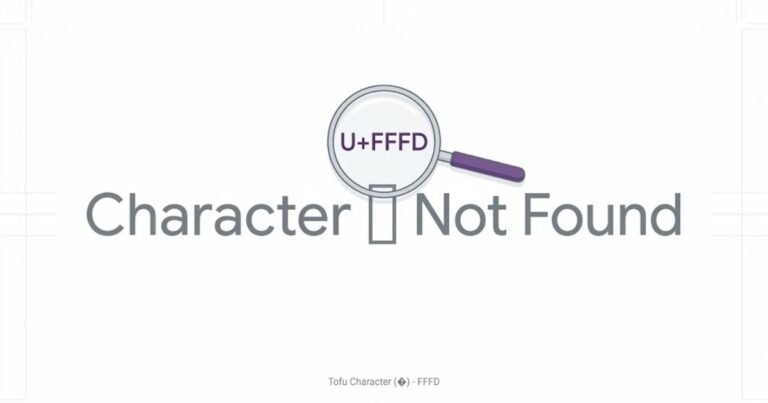
Why do some combining marks turn into boxes?
A combining mark still needs font support.
If the software cannot find a suitable glyph, you may get a missing-character symbol instead of the intended effect.
The base letter might render correctly while one unusual mark does not.
You can see something like:
H□
instead of the intended combined result.
This is the same basic missing-glyph problem that causes Unicode “tofu” boxes elsewhere.
If this happens often, simplify the style. A text effect that only works on your own device is not especially useful for something meant to be shared.
Underline formatting vs combining underline
They may look similar, but they solve different problems.
| Combining underline | Normal formatting |
|---|---|
| Adds Unicode characters to the text | Keeps the original characters |
| Can survive plain-text copy and paste | Usually requires formatting support |
| May affect text processing | Underlying word usually stays unchanged |
| Appearance depends on Unicode rendering | Appearance depends on CSS/editor formatting |
| Useful for decorative copy-paste text | Better for documents and web content |
If you control the webpage or document, proper formatting is usually the better choice.
Use CSS for an underline on a website. Use the editor’s formatting controls in a document.
Combining marks make more sense when you specifically need a copy-and-paste effect in a field that does not provide formatting controls.
When combining text is useful
A small amount of combining decoration can work well in short text.
A profile display name, gaming nickname or one-line heading may be a reasonable place to experiment.
Keep the original purpose in mind, though. A combining mark is a character, not a layer in a graphics editor.
The more marks you add, the more dependent the result becomes on font support and rendering behaviour.
For public text, readability usually wins.
When to keep the text plain
Avoid heavy combining effects when the text needs to be:
searchable, easy to type, accessible, copied accurately, used as an account identifier or read in a long paragraph.
It is also worth keeping a plain-text copy of anything important before converting it.
If your decorative version gets mangled by another application, you still have the original.
Are combining marks safe?
Yes, combining marks are normal Unicode text. An underline or stacked accent is not malware, and copying a combining character does not install a font or program on your device.
The practical risks are much less dramatic: poor rendering, difficult editing, broken-looking layouts, search problems and reduced readability when too many marks are used.
Those are good reasons to use them carefully, not reasons to fear Unicode.
The useful distinction to remember
Fancy Unicode text is not created in one single way.
Text such as:
𝗛𝗲𝗹𝗹𝗼
usually works by substituting ordinary letters with other Unicode characters.
Text such as:
H̲e̲l̲l̲o̲
keeps the base letters and adds combining marks.
And glitch text takes that second technique further by stacking multiple marks around those letters.
Once you know which mechanism is being used, it becomes much easier to understand why the text copies successfully, why it sometimes looks different on another screen, and why extreme styles can cause problems.
Combining marks are a normal and necessary part of Unicode. Decorative text simply gives them another job.