Why Do Unicode Characters Show as Boxes □ (And How to Fix It)
Quick Answer
A box (□) appears instead of a character when your device does not have a font that includes that specific Unicode character. Typographers call this “tofu” — a blank rectangle standing in for a glyph that should be there but is not. It is not a bug in the text, not a virus, and not something wrong with the app you are using. It means one specific piece of software, somewhere in the chain between typing and displaying, does not know how to draw that character. Update your device, switch fonts, or in some cases there simply is no fix because the character is too new or too obscure for your hardware.
Why Unicode Characters Sometimes Turn Into Boxes
A Unicode character can turn into an empty rectangle even when the text itself is valid. In most cases, the problem is not the character but the font or rendering environment being used to display it.
The exact cause can vary between devices, operating systems, apps, browsers, and Unicode blocks. Understanding where the failure happens makes it much easier to decide whether the fix belongs in the device, the font, the app, or the tool that generated the text.
What Tofu Actually Is
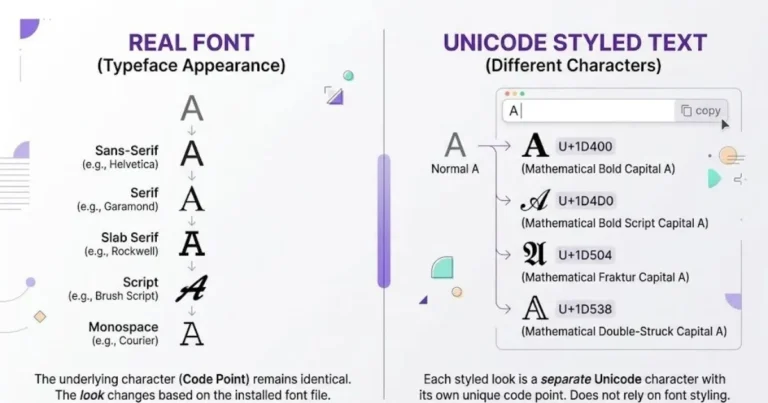
Every character you can type — letters, emoji, symbols, characters from any of the world’s writing systems — exists in the Unicode standard as a numbered entry called a code point. The letter A is U+0041. The heart emoji is U+2764. There are over 154,000 of these entries.
A code point is not a picture. It is an instruction: “this position in the text is this specific character.” Your device still needs a font — an actual file containing the drawn shape of that character — to turn the instruction into something visible.
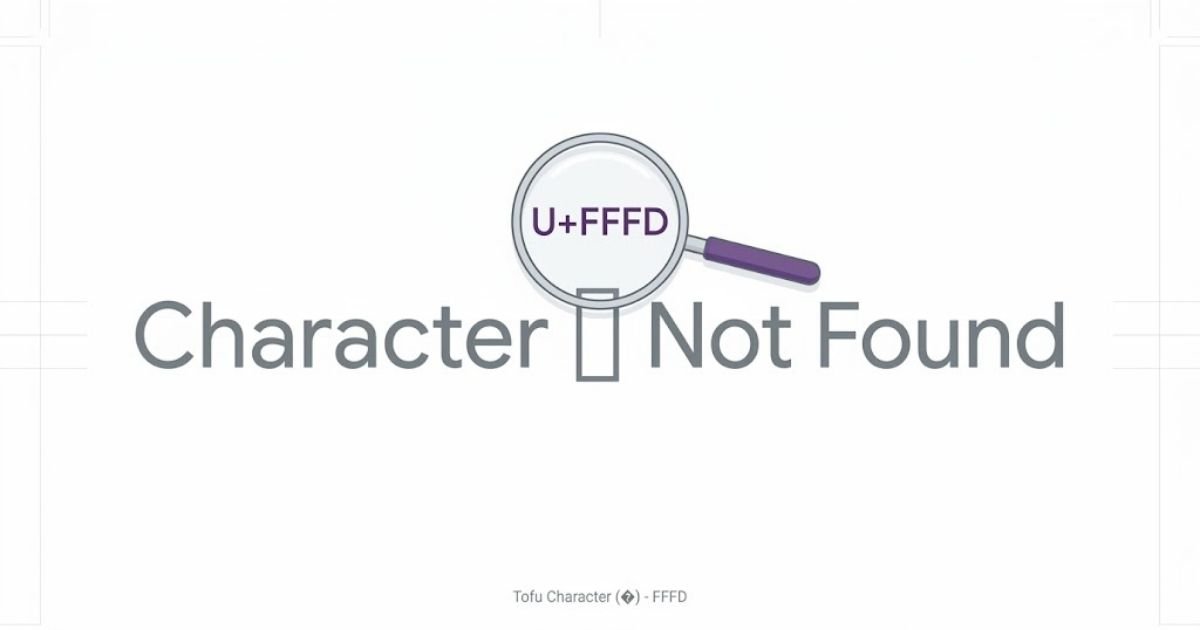
When your device has a font covering that code point, you see the character. When it doesn’t, most systems fall back to drawing an empty box with the code point’s number sometimes printed inside it, so at least you know something is missing rather than nothing showing at all.
That box has an actual name in the type design world: tofu. The term comes from the Google Noto font project, whose entire mission is eliminating these boxes — Noto stands for “no more tofu.”
Six Common Reasons Unicode Characters Show as Boxes
Not every missing character has the same cause. After going through this with enough users, I’ve found the failures cluster into six categories.
Your Device’s Font Doesn’t Cover That Character
This is the most common one, and it’s exactly what happened with the user who emailed me. Their phone was a few years old and had never received a font update covering a newer emoji release. Their friend’s newer phone displayed the same text perfectly.
Fonts are not universal. A single font file typically covers somewhere between a few hundred and a few thousand of Unicode’s 154,000+ characters. No device ships with every character covered — the storage cost alone would be enormous, and most of it would never be used. Manufacturers prioritize the scripts and symbols their target market actually needs, then add more through periodic updates.
The App Is Using an Old Font Rendering Library
I ran into this myself building a styling tool. Some apps bundle their own font rendering rather than relying entirely on the operating system, and if that bundled library hasn’t been updated, it won’t recognize characters added to Unicode after the library was built — even if the rest of the device handles those characters fine everywhere else.
Your Operating System Is Genuinely Out of Date
Unicode adds new characters every year — new emoji, new symbols, occasionally entire new scripts. Each addition requires operating system font updates to actually render. A phone running an OS version from several years ago is missing every character added since that version shipped, no matter how new the phone’s hardware is.
The Character Is From a Specialized Unicode Block Most Fonts Skip
This issue is especially relevant to font generators that convert ordinary text into mathematical alphanumeric characters. Certain Unicode blocks — Mathematical Alphanumeric Symbols, for instance, the block that font generators use to create styled text — get inconsistent font coverage because they’re considered “specialist” characters. Most general-purpose fonts prioritize covering Latin, Cyrillic, and CJK scripts before spending file size on characters mathematicians use for equation notation.
Within that block specifically, there’s a wrinkle I only fully understood after digging into the Unicode specification: several positions are permanently empty. Mathematical Italic has no dedicated lowercase h — U+1D455 was left unassigned because U+210E, the symbol physicists use for the Planck constant, already looked identical and Unicode’s policy avoids encoding visual duplicates. Type “the” in italic through a poorly-built converter and the h renders as tofu regardless of what device you’re on, because the character genuinely does not exist at that position. No font update fixes it. The fix has to happen in the tool generating the text, not the device displaying it.
Text Got Corrupted During Copy-Paste or Transfer
Occasionally what looks like a missing-font problem is actually corrupted encoding — text that got mangled moving between systems using different character encodings. This produces different symptoms than true tofu (often question marks or garbled character sequences rather than clean boxes) but gets reported the same way by users who just see “broken text.”
The Character Is a Regional Variant Your System Doesn’t Prioritize
Some characters render differently depending on regional font preferences — certain CJK characters have different standard shapes in Chinese, Japanese, and Korean typography, and a device set to the wrong region can occasionally show gaps for characters it technically has data for but isn’t prioritizing.
How to Actually Fix It
In rough order of how often each one solves the problem:
- Update your operating system. iOS, Android, and Windows all ship font updates through system updates. This alone resolves most tofu caused by genuinely missing characters.
- Update the specific app. If the box only appears in one app and not elsewhere on the same device, the app’s own rendering library is the likely cause, not the OS.
- Switch to a different font if you have the option. Some apps let you choose the display font. A different font may simply have better coverage of the character you need.
- Check if the source is generating the character correctly. If a specific tool consistently produces the same box for the same input across every device you test, the problem is in the tool’s character mapping, not your hardware. This can happen when a text generator maps characters by mathematical offset without accounting for documented Unicode exceptions. A single missing mapping can cause one letter to render as tofu even when the rest of the style works correctly.
- Accept that some characters genuinely won’t render everywhere. Extremely rare scripts, recently added emoji on older devices, and some specialist notation may simply not have universal support yet. This isn’t fixable on your end.
Why This Matters More Than It Seems
Tofu is usually treated as a cosmetic annoyance, and most of the time that’s a fair assessment. But there’s a version of this problem that has real consequences: accessibility.
When a screen reader encounters a character it can identify but that has no visual glyph rendered, the audio experience and the visual experience diverge in ways that can genuinely confuse someone relying on audio alone. And separately, styled Unicode text — the kind produced by font generators — creates its own accessibility gap regardless of whether it renders correctly, because screen readers announce these characters by their formal Unicode names rather than reading them as ordinary letters. A styled name that renders perfectly can still be functionally unreadable to someone using assistive technology, which is a different problem from tofu but gets discovered through the same kind of “why does this look wrong” investigation.
How Font Generators Can Prevent These Missing Characters
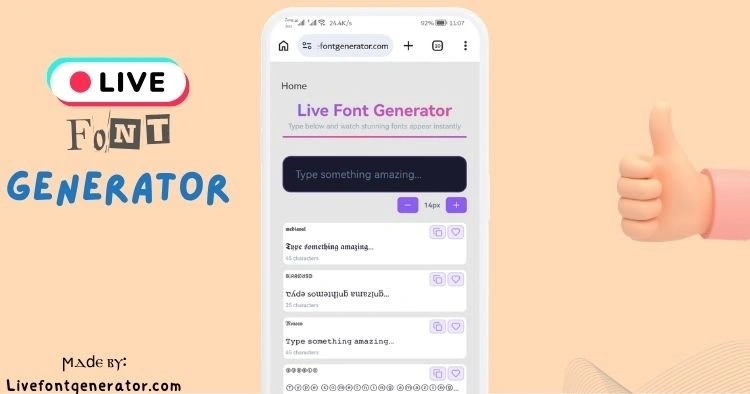
A reliable font generator should test character mappings individually instead of assuming that a continuous Unicode range contains every expected letter. Some mathematical alphabet ranges include intentional gaps because equivalent characters already exist elsewhere in Unicode.
The safest implementation is to handle those documented exceptions explicitly and test complete alphabets across multiple devices and browsers. This prevents a single incorrect mapping from turning an otherwise valid style into a missing-character box.
Frequently Asked Questions
Why does a character show correctly on my phone but not my laptop?
Different devices ship with different fonts covering different portions of Unicode. A character your phone’s font includes may not be in your laptop’s default font, especially if the laptop’s OS is older or the font selection differs.
Is tofu the same everywhere, or does it look different?
It varies. Some systems show a plain empty rectangle. Others show the rectangle with the character’s hexadecimal code printed inside it. A few older systems show a question mark instead. All three indicate the same underlying issue.
Can I fix tofu by changing my keyboard settings?
No. Keyboard settings control what you can type, not what your device can display. The fix lives in font coverage, which is a separate system from input.
Does tofu mean the text file or webpage is corrupted?
Not necessarily. True corruption usually produces garbled sequences or question marks rather than clean boxes. Tofu specifically means the character reference is intact but no available font can draw it.
Why do emoji sometimes show as boxes on older phones?
New emoji are added to Unicode roughly once a year, and each addition requires a corresponding font and OS update to render. A phone that hasn’t received recent system updates will show tofu for any emoji released after its last update.