Gaming Fonts — Copy & Paste Styles for Discord, Roblox & Gaming Usernames
What Are Gaming Fonts?
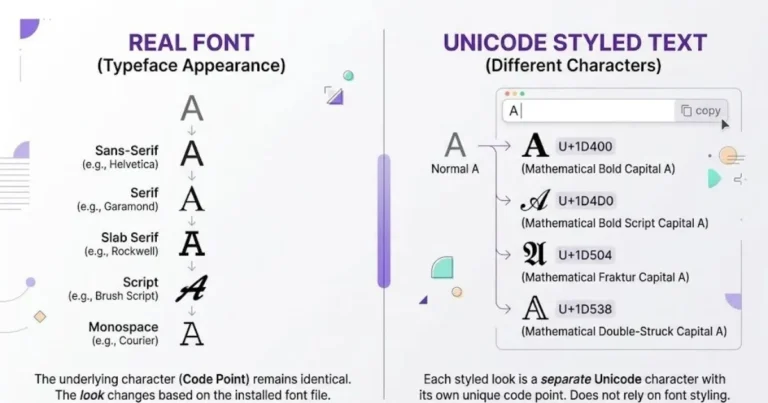
Gaming fonts are Unicode text styles you copy from a font generator and paste into Discord server names, gaming usernames, Roblox display names, Steam profiles, and any other platform where your setup matters. They are not actual fonts — your device’s system font draws them — but they look like different typefaces because they use characters from Unicode’s mathematical alphabet blocks instead of standard Latin letters.
The practical difference is visual: bold, gothic, monospace, and other Unicode styles can give a gaming name a more distinctive look than plain text. They are commonly used for decorative display names, clan tags, role labels, and profile text, but readability and platform support should come before styling.
Which Font Styles Work Best for Gaming?
Not every Unicode style suits gaming contexts. Some are too delicate, some too decorative, some illegible at the small sizes gaming platforms render names. The ones that actually work:
Bold Gothic / Fraktur
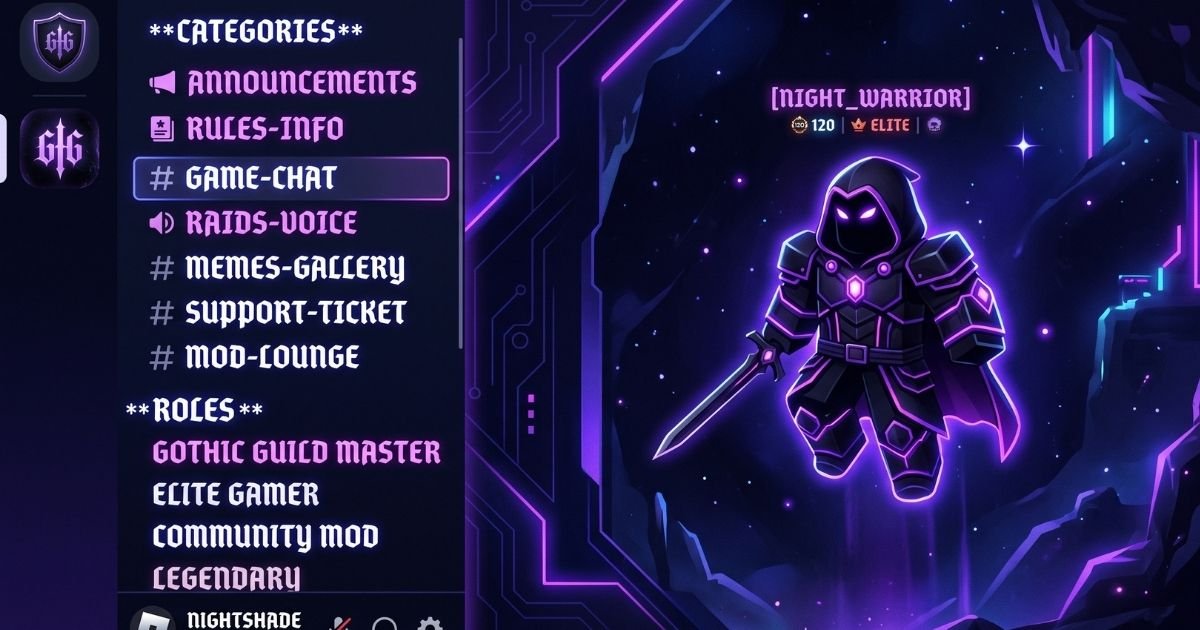
Bold Gothic and Fraktur styles create a heavy, dramatic look that fits many gaming, clan, and dark-themed communities. They can work well for short server names, role labels, or clan tags, but dense letterforms may become harder to read at small sizes.
It renders clearly at most sizes but can become cramped in Discord’s mobile sidebar. The workaround most server admins use: gothic for the server name and top roles, plain or small caps for individual channels.
Small Caps
The functional alternative. Small caps characters from the Phonetic Extensions block maintain legibility at small sizes where Fraktur loses definition. Popular for channel category headers, moderator roles, and Roblox display names where readability at game-render sizes matters more than weight.
Small-cap-like Unicode styles are useful when you want a compact visual identity without the weight of Gothic lettering. They can suit category labels, short role names, and display names where readability matters.
Bold Sans-Serif
The clean option for servers that want visual structure without gothic intensity. Mathematical Sans-Serif Bold (U+1D5D4–U+1D607) is heavy enough to stand out but readable enough for information-dense contexts. Esports organisations and professional gaming teams tend toward this style over gothic for exactly this reason.
Monospace
Developer and technical gaming communities use monospace styling for a terminal-adjacent aesthetic. Server names and role titles in monospace read as technical, which suits game modding servers, speedrunning communities, and competitive teams with a developer-focused identity.
Styles to Avoid for Gaming
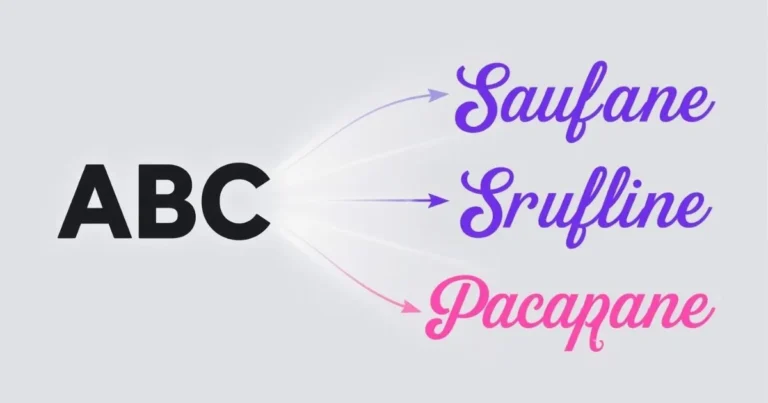
Cursive and script styles are lifestyle-Instagram territory. They read as personal brand in a gaming context rather than competitive identity. Heavily decorated border-frame styles work for individual usernames but look chaotic applied to an entire server’s naming scheme. Zalgo combining-mark styles — the ones that create vertical overflow characters — render inconsistently across devices and will break in most mobile clients.
Platform-Specific Guide
Discord Gaming Fonts
Discord supports Unicode styled text in server names, display names, channel category headers, role names, and About Me sections. The channel name field is a specific case: Discord forces channel names to lowercase and replaces spaces with hyphens. Any capital letters in styled channel names get lowercased, and some Unicode characters render oddly after the conversion. Test channel names in Discord’s interface before committing to a styling convention.
The channel naming pattern that works: plain emoji prefix + lowercase plain text channel name. Style the category headers above the channels instead. This keeps navigation readable on mobile while maintaining visual structure from styled category headers.
Roblox Gaming Fonts
Roblox display names are subject to the platform’s text filters and character rules. Character support can change over time and may not be identical for every user or language. Roblox currently documents expanded Japanese-character support as a beta feature for some users.
If you want to use decorative text on Roblox, test the exact characters in the display-name field before relying on them. Keep the plain version of your name available in case a particular style is rejected or becomes difficult to read in-game.
Steam Gaming Fonts
Steam profile names, group names, and game descriptions accept Unicode styled text. The Steam community uses styled names heavily, particularly in trading and competitive communities. Bold gothic and bold sans-serif are most common. The Steam interface renders names at reasonable sizes, so heavier styles including Fraktur work without legibility issues.
Twitch and YouTube Gaming
Both platforms accept styled Unicode in display names and channel descriptions. Twitch channel names are fixed — they cannot be styled — but display names (the visual version that appears in chat) can be changed and do accept Unicode characters. YouTube display names and channel descriptions accept styled text. Most gaming content creators use a single styled element: either the channel name or a styled tagline, not both.
Gaming Username Fonts
Gaming platforms use different rules for account IDs, gamertags, display names, and profile text. Some fields accept a wider range of Unicode characters than others, while certain usernames are restricted to a smaller character set. Check the current rules for the specific platform and test your styled name before using it as a permanent identity.
The Technical Reality of Gaming Fonts
A detail that catches many gamers off guard: styled text looks different on different devices.
The same Unicode string can look slightly different across Windows, macOS, iPhone, Android, and different apps. Each environment may use different fonts or fallback glyphs to render a character, so stroke weight, spacing, and shape are not guaranteed to be identical.
This matters for server design decisions. A name that looks perfect on your Windows gaming PC might feel cramped on a teammate’s iPhone. The mainstream bold and small caps styles render most consistently across devices. Heavy decorative styles show the widest variance.
Why Styled Text Breaks Search
One practical issue almost nobody talks about: styled Unicode characters are different characters from their plain-text equivalents.
Styled Unicode can make names harder to search because the decorative characters may be different code points from the plain letters they resemble. Search behaviour varies by platform, so keeping a plain, easy-to-type username or identifier can make it easier for other players to find you.
This is a real friction point for streamers and content creators who need to be findable. The convention most creators use: style the display name for visual identity, but keep the searchable username plain. The display name gets attention. The username gets found.
Same issue applies to Discord server search. A server name in styled text will not appear in Discord’s search when someone types the plain-text version. Server discovery relies on invites and links rather than search for styled-name servers.
Choosing a Gaming Font Style
There is no single gaming font style that fits every community. Competitive teams may prefer clean bold text, dark-themed servers may suit Gothic styles, and technical or modding communities may prefer monospace.
Choose a style based on the identity of the server or profile, then check it at the actual size where players will see it. A readable name on both desktop and mobile is more useful than a highly decorative style that only looks good in a generator preview.
Common Gaming Font Mistakes
| Mistake | Why It Fails | Fix |
|---|---|---|
| Styling every channel name | Visual noise — nothing stands out when everything is styled | Style category headers, keep channel names plain |
| Using cursive for a gaming server | Reads as lifestyle/personal brand, not gaming identity | Gothic, bold, or small caps |
| Styled hashtags on gaming social posts | Styled hashtags reach nobody — different characters from the real tag | Always plain text for hashtags |
| Heavy decoration on mobile-first servers | Ornate styles become unreadable at small sizes | Test on a phone before committing |
| Three or more different styles in one server | Looks accidental rather than designed | Two styles maximum: one heavy, one light or plain |
How to Generate Gaming Fonts
Open Live Font Generator, type your server name, clan tag, or username, and browse the Gaming & Cool and Dark & Gothic categories. These are organized by the styles most used in gaming contexts — bold gothic, Fraktur variants, monospace, and heavy bold — so you are not scrolling through cursive and aesthetic styles to reach the ones that suit a gaming identity.
Copy with one click. Paste directly into Discord’s server settings, the Roblox display name field, or any other gaming platform’s name field. No app download. No account required.
Frequently Asked Questions
Do gaming fonts work on all platforms?
Most gaming platforms accept Unicode characters in display names. Login usernames typically require ASCII only. Check the specific platform’s character limits before styling a long name.
Why do gaming fonts look different on my phone?
iOS and Android use different system fonts to render Unicode mathematical characters. The same styled text appears with different stroke weights and spacing on each platform. This is normal — it is not a rendering error.
Can I use gaming fonts in my Discord channel names?
Discord forces channel names to lowercase and replaces spaces with hyphens. Style the category headers above channels instead of the channel names themselves. This maintains visual hierarchy while avoiding the formatting Discord applies to channel names.
Why can’t people find my styled gaming username through search?
Styled Unicode characters are different characters from plain-text equivalents. Search systems match exact characters, so searching “BlackKnight” will not find “𝕭𝖑𝖆𝖈𝖐𝕶𝖓𝖎𝖌𝖍𝖙.” Keep your searchable username plain; style the display name.
What is the best gaming font for Discord?
Bold Fraktur for server names and senior roles, small caps for category headers, plain text for channel names. This three-level hierarchy is the most common pattern in well-organised gaming Discord servers.
Do gaming fonts affect my account in any way?
Using Unicode text does not automatically make a gaming account unsafe, but every platform has its own naming, moderation, and character rules. A style may be rejected, filtered, or reset if it does not meet the platform’s requirements, so important account names should follow the current rules of that service.
See our dedicated Discord Fonts tool by clicking here.