How to use LiveFontGenerator.com fonts to Instagram, Facebook & WhatsApp Bios
Quick Answer
Copy and paste stylish fonts into your Instagram, Facebook, TikTok, Discord, or WhatsApp bio in four steps: type your text into a Unicode font tool, preview the styles, tap copy on the one you like, and paste it into your bio field. The styled text works because it uses Unicode characters that every platform supports natively — no app downloads or special permissions needed. The entire process takes less than thirty seconds.
How Unicode Fonts Work in Social Media Bios
Social media platforms do not offer font customization in bios. There is no bold button in an Instagram bio, no cursive option in a WhatsApp About field, and no font picker in a TikTok profile. Every platform renders bios in its own default typeface.
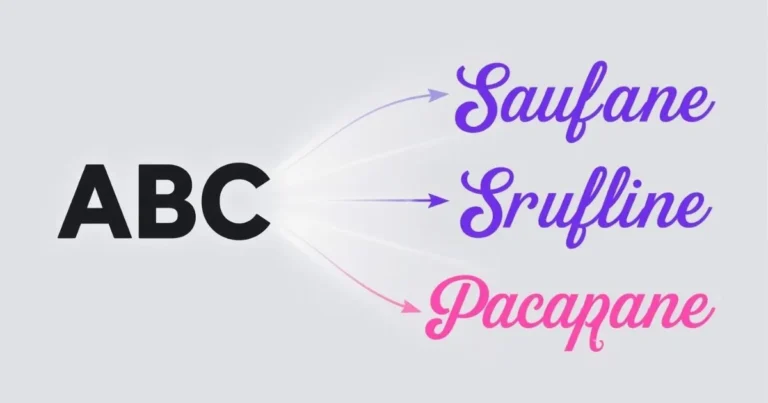
Unicode fonts bypass this limitation entirely. Instead of changing how a letter is drawn (which requires font controls the platform does not provide), a Unicode font tool replaces each letter with a visually similar character from a different section of the Unicode standard. Your “Hello” becomes five completely different characters — like 𝓗𝓮𝓵𝓵𝓸 or 𝗛𝗲𝗹𝗹𝗼 — that happen to look like cursive or bold versions of the original letters.
Because these are real characters (not formatting or images), they survive being pasted into any text field on any platform. The receiving app does not need to support special formatting — it just displays the characters, and modern phones all have fonts that cover the mathematical alphabet blocks where these styled characters live.
Step-by-Step: Adding Styled Fonts to Any Social Media Bio
Step 1: Type Your Bio Text
Open a font tool in your phone’s browser. Type or paste the text you want to style — your name, tagline, or the specific line of your bio you want to stand out. You do not need to style your entire bio; in fact, mixing one styled line with plain text usually looks better than styling everything.
Step 2: Choose Your Style
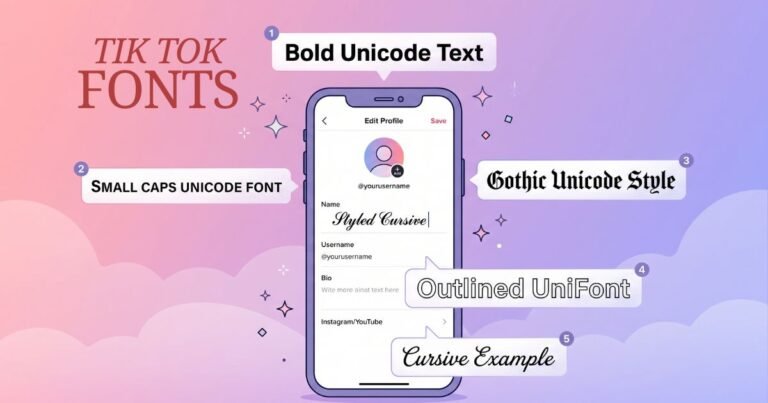
Preview the available styles. For bios specifically, these categories work best:
- Cursive and script — elegant, personal, warm. Best for lifestyle, wellness, creative, and personal accounts.
- Bold sans-serif — clean, professional, confident. Best for business accounts, coaches, and entrepreneurs.
- Gothic Fraktur — dark, dramatic, intense. Best for gaming, music, alternative, and aesthetic accounts.
- Small caps — subtle, minimal, polished. Best for photographers, designers, and minimalist brands.
- Outline (double-struck) — airy, light, aesthetic. Best for art accounts, film photography, and soft aesthetic profiles.
If you want styles organized by mood, a font style generator groups everything by category — cursive together, gothic together, aesthetic together — which makes finding the right style faster than scrolling through an unsorted list.
Step 3: Copy Your Styled Text
Tap the copy button next to your chosen style. On most tools, this copies the styled text directly to your clipboard. If there is no copy button, long-press the styled text, select all, and copy manually.
Step 4: Paste Into Your Bio
Open the platform where you want to use the styled text. Navigate to your profile editing screen and paste the copied text into the bio field. Save or update your profile. The styled text will display immediately for anyone who views your profile.
Platform-Specific Instructions
Instagram Bio
Open Instagram and tap your profile picture in the bottom right. Tap Edit Profile, then tap the Bio field. Delete the text you want to replace and paste your styled text. Tap the checkmark or Done to save.
Character limit: 150 characters. Some Unicode characters count as 2 characters toward this limit because they occupy more bytes than standard ASCII. If your styled bio hits the limit unexpectedly, shorten the plain text portions rather than removing styled text.
What works: Bio text, display name, captions, comments, story text stickers.
What does not work: Instagram username (the @handle) — this is restricted to letters, numbers, periods, and underscores only.
Best styles for Instagram: Cursive for personal warmth, bold for professional emphasis, aesthetic outline for creative accounts.
Facebook Bio
Go to your Facebook profile and tap Edit Bio (or the pencil icon next to your intro section). Paste your styled text into the bio field. Tap Save.
Character limit: 101 characters for the short bio. The detailed About section has more room but is less visible to visitors.
What works: Bio, intro section, posts, comments, Messenger messages.
What does not work: Facebook page names — these go through a review process that may reject Unicode characters.
TikTok Bio
Open TikTok and go to your profile. Tap Edit Profile, then tap the Bio field. Paste your styled text and save.
Character limit: 80 characters — the shortest major platform limit. Use styled text for your name or one key phrase, not the entire bio.
What works: Bio text, display name. TikTok captions also support Unicode.
WhatsApp About
Open WhatsApp, go to Settings (or tap your name at the top), then tap the About field. Delete the existing text and paste your styled version.
Character limit: 139 characters.
What works: About field, group descriptions, individual and group messages.
What does not work: Contact names you set for other people — these display in plain text only.
Discord About Me
Open Discord and go to User Settings (gear icon) then Profiles. Paste styled text into the About Me field. Discord’s About Me supports full Unicode including combining marks and decorative symbols.
Character limit: 190 characters.
Discord has additional places where styled text works — server names, display names, role names, and channel names all accept Unicode. For Discord-specific styles and formatting rules, the Discord fonts tool handles the platform’s specific requirements automatically.
X (Twitter) Bio
Go to your X profile and tap Edit Profile. Paste styled text into the Bio field or the Name field. Both support Unicode fully.
Character limit: 160 characters for bio, 50 characters for display name.
What works: Bio, display name, tweets, replies. X is one of the most Unicode-permissive platforms.
Which Style Should You Choose for Your Bio?
The best style depends on your account’s niche and the impression you want to create. After years of testing across platforms, clear patterns have emerged:
| Account type | Best style | Why it works |
|---|---|---|
| Personal / lifestyle | Cursive script | Warm, approachable, signals creativity |
| Business / coaching | Bold sans-serif | Professional, clean, authoritative |
| Gaming / esports | Gothic Fraktur | Intense, competitive, community standard |
| Photography / art | Outline or small caps | Minimal, elegant, lets work speak |
| Music / alternative | Dark gothic with symbols | Identity marker for the niche |
| Aesthetic / soft | Light cursive + sparkles | Matches soft aesthetic visual language |
| Tech / developer | Monospace | Codes-adjacent, technical identity |
For decorated styles with sparkle, heart, or star frames around your text — where the symbol combination matters as much as the font — a fancy text generator with a randomize feature lets you shuffle through thousands of decoration combinations until you find one that feels unique to your profile.
Common Problems and Solutions
| Problem | Cause | Solution |
|---|---|---|
| Characters show as empty boxes | Device font does not include the character | Use a mainstream style (bold, cursive, gothic) instead of exotic Unicode blocks. Update your phone’s OS to the latest version. |
| Bio exceeds character limit unexpectedly | Some Unicode characters count as 2+ characters | Shorten plain text portions of your bio to accommodate the extra bytes. |
| Paste does not work | App clipboard conflict | Close and reopen the app. If still failing, paste into Notes first, re-copy from there, then paste into the bio field. |
| Style looks different on friend’s phone | Different OS renders Unicode differently | Normal behavior — iOS and Android use different system fonts. The text is identical; only the rendering varies slightly. |
| Styled username gets rejected | Platform restricts username characters | Style your display name or bio instead. Usernames on most platforms only allow basic letters, numbers, and underscores. |
Tips for Better Bio Styling
Style one element, not everything. A cursive name paired with plain text description looks intentional. An entire bio in three different font styles looks chaotic. One styled element is the ceiling for most bios.
Test on someone else’s phone. Ask a friend with a different phone (iPhone vs Android) to check how your bio looks on their device. Most mainstream styles render identically, but decorated combining-mark effects can vary.
Refresh your style periodically. A new font style every month or two keeps your profile looking active without requiring major content changes. It takes ten seconds and signals that you actively maintain your online presence.
Keep critical information plain. Contact details, website URLs, and hashtags should stay in regular text. Styled hashtags do not function as hashtags, and styled URLs are not clickable. Style the decorative parts; leave the functional parts plain.
Match style to platform culture. Cursive bios are everywhere on Instagram but rare on LinkedIn. Gothic text dominates Discord but feels out of place on a Facebook business page. Matching the platform’s visual culture makes styled text look native rather than forced.
Frequently Asked Questions
Q: Are Unicode fonts safe to use in social media bios?
Yes. Unicode characters are part of an international text standard supported by every modern operating system. They are ordinary text — no code, no links, no hidden content. Using them in a bio is no different from using an emoji.
Q: Will Instagram or TikTok remove my styled bio?
No. Neither platform prohibits Unicode characters in bios. The characters are standard text that the platforms render natively. There is no rule against using them and no mechanism for them to trigger any content filter.
Q: Do I need an app to create styled bio text?
No. Browser-based font generators work on any phone or computer without downloading anything. Open your browser, type your text, copy the styled result, and paste it into your bio.
Q: Can screen readers read styled bio text?
Partially. Screen readers may read each Unicode character by its full name rather than as a letter, which can be hard to follow. For accessibility, style only your name or tagline and keep descriptive text plain so screen reader users can understand your profile.
Q: Why does my styled text look slightly different on iPhone vs Android?
Each operating system renders Unicode characters using its own system fonts. The underlying characters are identical, but Apple, Google, and Microsoft each design their fonts differently. This is the same reason emoji look different across platforms — same character, different visual design.